SEARCH DECK · Mac 1.0.3 · Windows 1.0.3

Find the media.
On the timeline.

Find and preview local audio and video in real time from the search bar. Selected media is placed at the current Premiere Pro playhead through SEOHA Bridge.

Available to accounts with access

A personal media library.
One search bar.

Search samples, collect favourites, and select video and audio tracks. Explore the Search Deck workflow without uploading files.

Launch week 1 offer · VAT included

US$25 Regular US$40

Check the checkout page for prices and purchase availability. Existing access for authorized users is preserved.

Base prices by launch week

Price for 1 licence · All prices in US dollars (USD) · VAT included

By launch week · 1 licence · Purchase total · USD · VAT included
Launch week Search Deck
Week 1US$25
Week 2US$30
Week 3US$33
Week 4US$36
Week 5 onward · RegularUS$40
View weekly totals for 5 and 10 licences

5 licences · Purchase total 10% additional discount

By launch week · 5 licences · Purchase total · USD · VAT included
Launch week Search Deck
Week 1US$112.50
Week 2US$135
Week 3US$148.50
Week 4US$162
Week 5 onward · RegularUS$180

10 licences · Purchase total 20% additional discount

By launch week · 10 licences · Purchase total · USD · VAT included
Launch week Search Deck
Week 1US$200
Week 2US$240
Week 3US$264
Week 4US$288
Week 5 onward · RegularUS$320

Week 1 is the seven-day period starting when the site's first sale is completed. All products and bundles share this start. Each following week lasts seven days, and regular prices apply from week 5.

Interactive UI example · Plays provided audio/video · No personal file access or Premiere connection

SSearch Deck

Example user configuration
Sample media5 results

↑↓ Select · Shift Preview · Enter Insert · Esc Close example

Placement example · Playhead 00:00:02:15

Select media to insert
Select an item and press Shift or Play to preview the actual sample.

IN PRACTICE

Usage guides and recorded examples

Refer to the manual and release notes for current instructions and released versions. The recordings below show the interface at the time of capture, not verification of the latest UI.

01 · Recorded workflow · 91 seconds

Existing public demonstration · recorded version not documented

Search Deck: real workflow demonstration

A user-supplied silent recording covering local media search, timeline insertion and settings.

Read the video walkthrough

This user-supplied recording shows Search Deck in use: opening search over Premiere, finding local media and inserting it at the playhead on the selected track, followed by results, preferences and shortcuts. Audio is omitted. The audio/video files shown are not included in the product; users must supply media they have rights to use.
View earlier-version recordings and screenshots

These preserved examples show real use of earlier versions. Buttons, settings and sign-in requirements may differ today. Select a screenshot to view it at its original size.

01 · Recorded workflow · 12 seconds

Earlier-version reference recording

Find, preview, and insert sound effects

Open Search Deck, find a sound effect, and place it on the selected audio track.

Read the video walkthrough

Place the playhead at the desired insertion point in Premiere. Open Search Deck, enter a search, and select a result. Preview it and insert it; the audio clip appears on the timeline. In the app, Shift previews and Enter inserts.

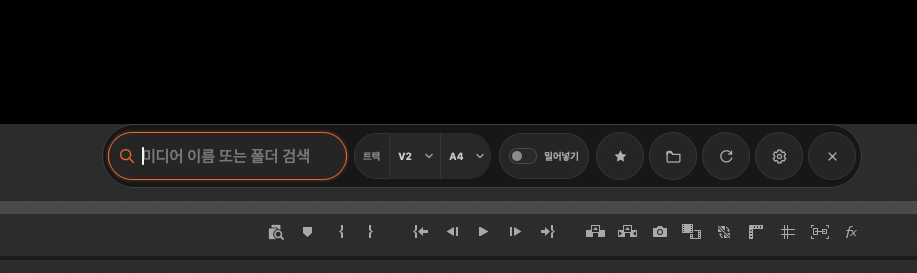
Compact search bar

Earlier-version reference screenshot

Compact search bar

Collapsed view with search, V/A tracks, ripple insertion, and frequently used tools.

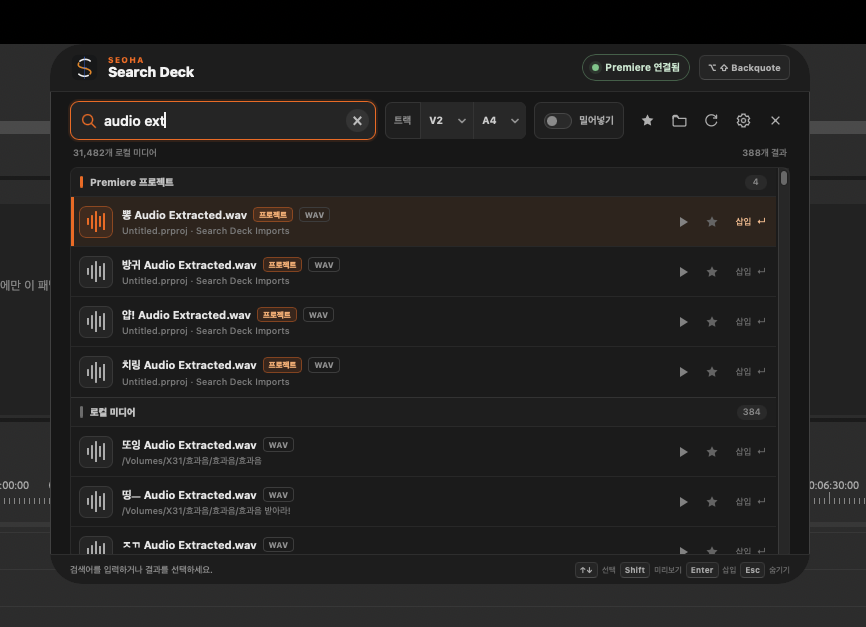
Search project items and local audio

Earlier-version reference screenshot

Search project items and local audio

Distinguish Premiere project items from local results, with playback, favourites, and insertion.

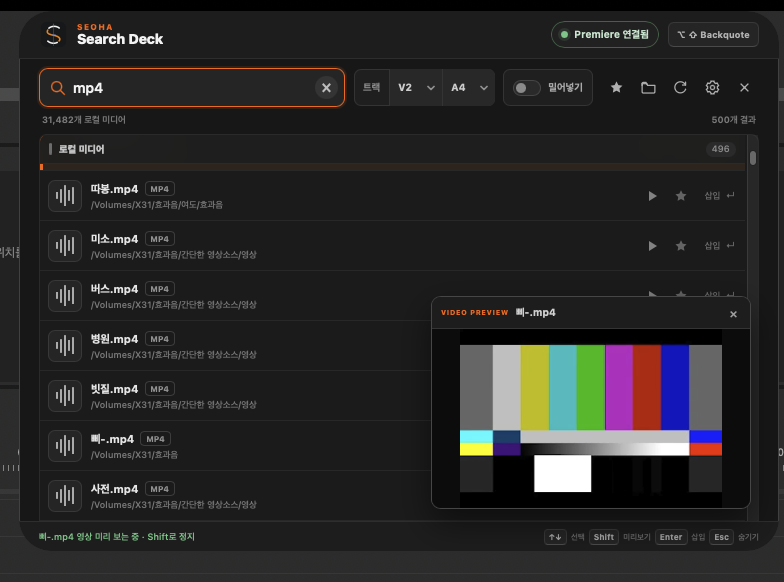
Video preview

Earlier-version reference screenshot

Video preview

Review the selected video in a compact preview window. This shows actual video playback, distinct from audio preview.

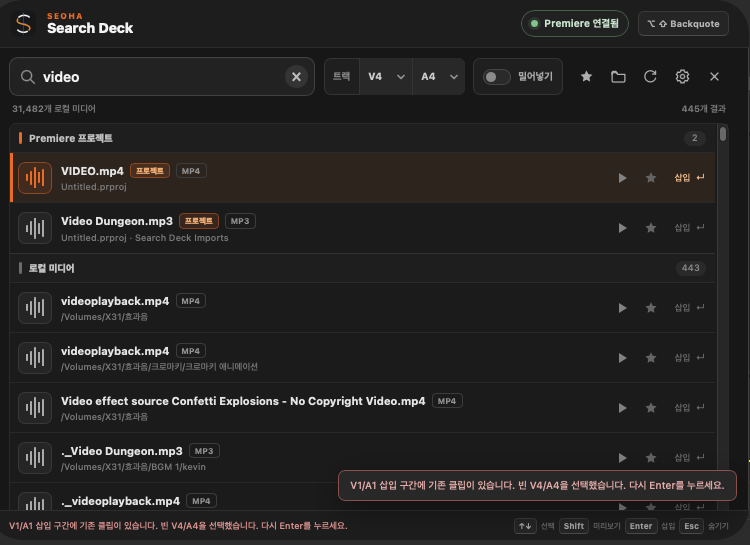
When existing clips overlap

Earlier-version reference screenshot

When existing clips overlap

Recheck and insert after a suggestion for empty V/A tracks. Version 0.1.3 added persistent guidance and a confirmation button.

Search personal media folders

Index audio and video locally from selected folders. Keep frequently used files in favourites.

From search to preview

Open the search bar with a shortcut and select with arrow keys. Use Shift for audio/video preview and Enter to insert.

Reuse project items

Files already in the Premiere project are not imported again as duplicates.

Choose tracks and place safely

Check V/A tracks, source duration, and collisions before placement. Optionally close the window after successful insertion.

LOCAL MEDIA

WAV · BWF · AIF · AIFF · MP3 · M4A · AAC
Video formats including MP4 · MOV · M4V · MXF · MTS

TARGET COMPATIBILITY

Supported: Premiere Pro 2023–2026 · macOS Apple Silicon · Windows x64. Preview and insertion may be limited by the file's codec and Premiere version.

Search Deck User guides

Installation steps, practical instructions, and troubleshooting.